
Promotion 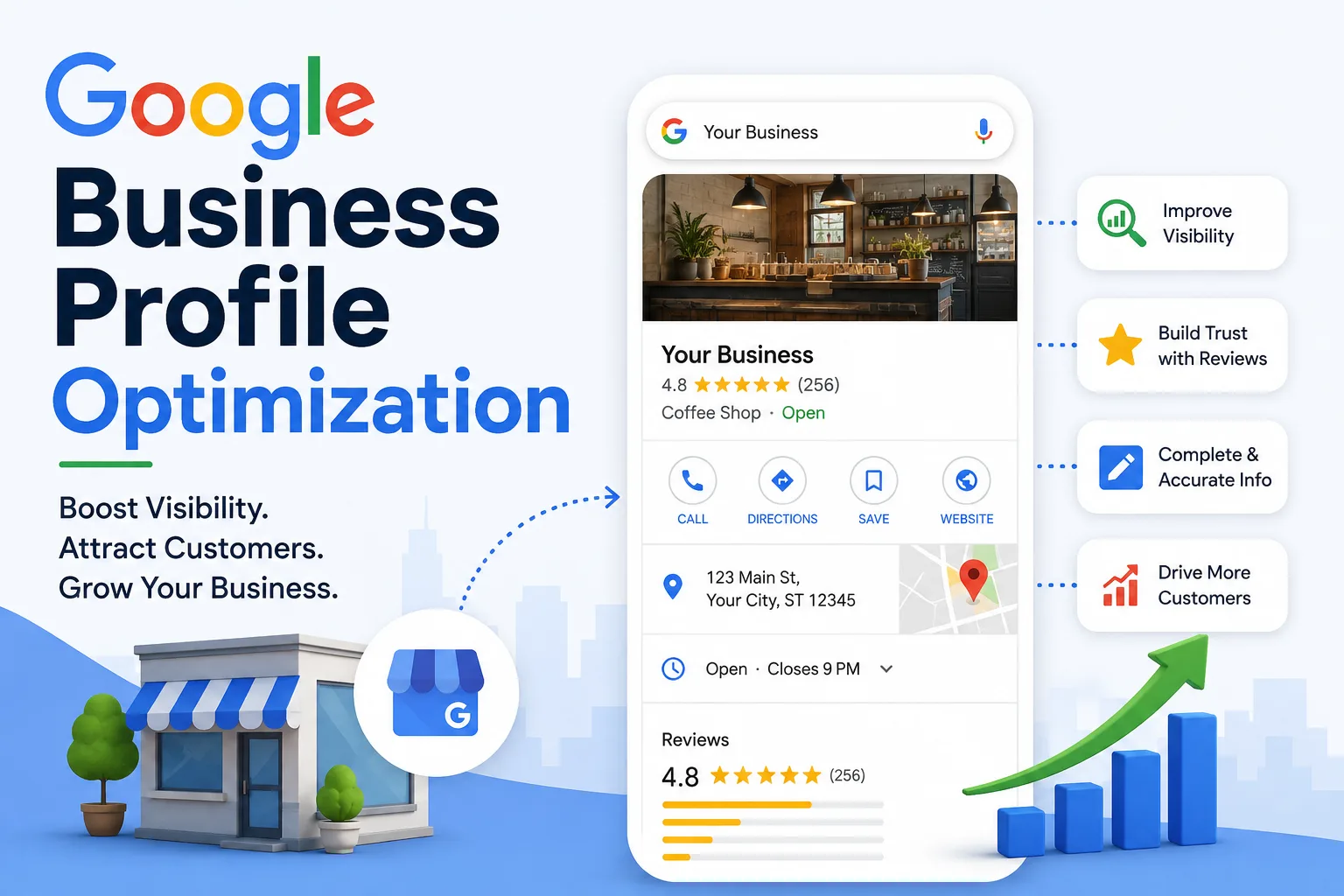
In today's competitive digital world, local businesses need more than just a website to attract customers. One of the most powerful tools for increasing local visibility is Google Business Profile (GBP). A well-optimized profile helps your business appear in Google Search and Google Maps, making it easier for potential customers to find, contact, and trust your business.
Whether you own a restaurant, retail store, clinic, real estate agency, coaching center, or service-based business, optimizing your Google Business Profile can significantly increase your online visibility and generate more leads.
This guide explains everything you need to know about Google Business Profile optimization.
Google Business Profile (formerly Google My Business) is a free business listing provided by Google. It allows businesses to display important information including:
• Business Name
• Address
• Phone Number
• Website
• Business Hours
• Customer Reviews
• Photos
• Services
• Products
• Business Description
• Questions & Answers
When users search for businesses near them, Google often displays these profiles before regular website results.
An optimized Google Business Profile helps businesses:
• Rank higher in Google Maps
• Increase local website traffic
• Get more phone calls
• Generate more customer inquiries
• Improve brand trust
• Collect positive customer reviews
• Increase store visits
• Enhance online visibility
Local SEO begins with an optimized Google Business Profile.
Google prioritizes businesses with complete, accurate, and active profiles.
Your profile includes a direct website link that drives targeted traffic.
Businesses with high ratings and genuine reviews earn more customer confidence.
Optimized profiles appear more frequently in map results.
Customers searching locally often have strong purchase intent.
If you haven't already:
• Create a Google Business Profile
• Claim your listing
• Complete Google's verification process
• Confirm your ownership
Verified businesses receive greater visibility and access to additional management features.
Google favors complete business profiles.
Include:
• Business Name
• Primary Category
• Secondary Categories
• Business Address
• Phone Number
• Website
• Business Hours
• Holiday Hours
• Service Areas
• Products
• Services
• Business Description
Avoid leaving any fields blank.
Selecting the correct primary category is one of the most important ranking factors.
Example:
Primary Category:
• Digital Marketing Agency
Secondary Categories:
• SEO Agency
• Advertising Agency
• Marketing Consultant
Use categories that accurately describe your services.
Use relevant local keywords naturally.
Example:
"Our digital marketing agency provides SEO, website development, Google Ads management, and social media marketing services for businesses looking to improve their online visibility and generate more leads."
Avoid keyword stuffing.
Businesses with quality images receive significantly more engagement.
Upload:
• Logo
• Cover Photo
• Office Images
• Team Photos
• Products
• Services
• Customer Experience
• Interior
• Exterior
Regularly updating photos signals that your business is active.
Reviews are one of the strongest local ranking signals.
Encourage customers to leave reviews after every successful transaction.
Best practices:
• Ask politely
• Respond to every review
• Thank positive reviewers
• Professionally address negative feedback
More authentic reviews generally improve credibility.
Google allows businesses to publish updates directly on their profile.
Post about:
• New Products
• Special Offers
• Events
• Promotions
• Business Updates
• Blogs
• Seasonal Discounts
Posting weekly helps keep your profile active.
Businesses should showcase all major offerings.
For each service include:
• Title
• Description
• Price (optional)
• Images
This helps customers understand exactly what you offer.
Turn on messaging so customers can contact your business directly.
Quick responses improve customer satisfaction and increase conversions.
Always update:
• Working Hours
• Contact Number
• Address
• Website
• Holiday Schedule
• New Services
• Business Changes
Consistent information builds trust with both Google and customers.
Google users can ask public questions.
Monitor your profile regularly and answer:
• Pricing
• Availability
• Service Areas
• Booking Information
• Delivery Details
Helpful answers improve customer confidence.
Include keywords in:
• Business Description
• Posts
• Product Descriptions
• Service Descriptions
• Q&A Responses
Examples:
• Google Business Profile Optimization
• Local SEO Services
• Digital Marketing Company
• SEO Agency
• Website Development
Avoid excessive repetition.
Avoid these common errors:
• Incomplete profiles
• Wrong business category
• Outdated contact details
• Low-quality images
• Ignoring customer reviews
• Keyword stuffing
• Duplicate business listings
• Inconsistent business information
• No regular updates
To improve your Google Maps visibility:
• Keep profile information accurate
• Add new photos regularly
• Collect genuine customer reviews
• Publish weekly posts
• Use relevant categories
• Maintain consistent business information across the web
• Respond to reviews promptly
• Update services and products frequently
• Claim your business
• Verify ownership
• Complete every profile section
• Add primary and secondary categories
• Write a keyword-rich description
• Upload quality images
• Add services
• Add products
• Collect customer reviews
• Respond to reviews
• Publish regular posts
• Enable messaging
• Keep information updated
• Monitor profile insights
Use Google Business Profile Insights to track:
• Search views
• Map views
• Website clicks
• Phone calls
• Direction requests
• Customer searches
• Photo views
• Popular search terms
Analyze these metrics monthly to identify opportunities for improvement.
Google Business Profile Optimization
Google Business Profile Optimization
In today's competitive digital world, local businesses need more than just a website to attract customers. One of the most powerful tools for increasing local visibility is Google Business Profile (GBP). A well-optimized profile helps your business appear in Google Search and Google Maps, making it easier for potential customers to find, contact, and trust your business.
Whether you own a restaurant, retail store, clinic, real estate agency, coaching center, or service-based business, optimizing your Google Business Profile can significantly increase your online visibility and generate more leads.
This guide explains everything you need to know about Google Business Profile optimization.
What Is Google Business Profile?
Google Business Profile (formerly Google My Business) is a free business listing provided by Google. It allows businesses to display important information including:
• Business Name
• Address
• Phone Number
• Website
• Business Hours
• Customer Reviews
• Photos
• Services
• Products
• Business Description
• Questions & Answers
When users search for businesses near them, Google often displays these profiles before regular website results.
Why Google Business Profile Optimization Matters
An optimized Google Business Profile helps businesses:
• Rank higher in Google Maps
• Increase local website traffic
• Get more phone calls
• Generate more customer inquiries
• Improve brand trust
• Collect positive customer reviews
• Increase store visits
• Enhance online visibility
Local SEO begins with an optimized Google Business Profile.
Benefits of Google Business Profile Optimization
Higher Local Search Rankings
Google prioritizes businesses with complete, accurate, and active profiles.
More Website Visitors
Your profile includes a direct website link that drives targeted traffic.
Increased Customer Trust
Businesses with high ratings and genuine reviews earn more customer confidence.
Better Google Maps Visibility
Optimized profiles appear more frequently in map results.
Higher Conversion Rates
Customers searching locally often have strong purchase intent.
Step 1: Claim and Verify Your Business
If you haven't already:
• Create a Google Business Profile
• Claim your listing
• Complete Google's verification process
• Confirm your ownership
Verified businesses receive greater visibility and access to additional management features.
Step 2: Complete Every Profile Section
Google favors complete business profiles.
Include:
• Business Name
• Primary Category
• Secondary Categories
• Business Address
• Phone Number
• Website
• Business Hours
• Holiday Hours
• Service Areas
• Products
• Services
• Business Description
Avoid leaving any fields blank.
Step 3: Choose the Right Business Categories
Selecting the correct primary category is one of the most important ranking factors.
Example:
Primary Category:
• Digital Marketing Agency
Secondary Categories:
• SEO Agency
• Advertising Agency
• Marketing Consultant
Use categories that accurately describe your services.
Step 4: Write an SEO-Friendly Business Description
Use relevant local keywords naturally.
Example:
"Our digital marketing agency provides SEO, website development, Google Ads management, and social media marketing services for businesses looking to improve their online visibility and generate more leads."
Avoid keyword stuffing.
Step 5: Add High-Quality Photos
Businesses with quality images receive significantly more engagement.
Upload:
• Logo
• Cover Photo
• Office Images
• Team Photos
• Products
• Services
• Customer Experience
• Interior
• Exterior
Regularly updating photos signals that your business is active.
Step 6: Collect Customer Reviews
Reviews are one of the strongest local ranking signals.
Encourage customers to leave reviews after every successful transaction.
Best practices:
• Ask politely
• Respond to every review
• Thank positive reviewers
• Professionally address negative feedback
More authentic reviews generally improve credibility.
Step 7: Publish Google Business Posts
Google allows businesses to publish updates directly on their profile.
Post about:
• New Products
• Special Offers
• Events
• Promotions
• Business Updates
• Blogs
• Seasonal Discounts
Posting weekly helps keep your profile active.
Step 8: Add Products and Services
Businesses should showcase all major offerings.
For each service include:
• Title
• Description
• Price (optional)
• Images
This helps customers understand exactly what you offer.
Step 9: Enable Messaging
Turn on messaging so customers can contact your business directly.
Quick responses improve customer satisfaction and increase conversions.
Step 10: Keep Business Information Updated
Always update:
• Working Hours
• Contact Number
• Address
• Website
• Holiday Schedule
• New Services
• Business Changes
Consistent information builds trust with both Google and customers.
Step 11: Answer Questions
Google users can ask public questions.
Monitor your profile regularly and answer:
• Pricing
• Availability
• Service Areas
• Booking Information
• Delivery Details
Helpful answers improve customer confidence.
Step 12: Add Relevant Keywords Naturally
Include keywords in:
• Business Description
• Posts
• Product Descriptions
• Service Descriptions
• Q&A Responses
Examples:
• Google Business Profile Optimization
• Local SEO Services
• Digital Marketing Company
• SEO Agency
• Website Development
Avoid excessive repetition.
Common Google Business Profile Optimization Mistakes
Avoid these common errors:
• Incomplete profiles
• Wrong business category
• Outdated contact details
• Low-quality images
• Ignoring customer reviews
• Keyword stuffing
• Duplicate business listings
• Inconsistent business information
• No regular updates
Tips to Improve Google Maps Rankings
To improve your Google Maps visibility:
• Keep profile information accurate
• Add new photos regularly
• Collect genuine customer reviews
• Publish weekly posts
• Use relevant categories
• Maintain consistent business information across the web
• Respond to reviews promptly
• Update services and products frequently
Google Business Profile SEO Checklist
• Claim your business
• Verify ownership
• Complete every profile section
• Add primary and secondary categories
• Write a keyword-rich description
• Upload quality images
• Add services
• Add products
• Collect customer reviews
• Respond to reviews
• Publish regular posts
• Enable messaging
• Keep information updated
• Monitor profile insights
Measuring Your Performance
Use Google Business Profile Insights to track:
• Search views
• Map views
• Website clicks
• Phone calls
• Direction requests
• Customer searches
• Photo views
• Popular search terms
Analyze these metrics monthly to identify opportunities for improvement.